Certificate of Insurance Generator

A feature enhancement originating from a Hackathon concept that enables policyholders to generate their own Certificates of Insurance (COIs) through a self-service experience

Overview

Role: UX Designer
I owned end-to-end product design, validated ideas with business stakeholders, and present the project to the entire tech organization.
Timeline: October 1-3, 2024
Status: First place winner at Hackathon 2024, released on July 2025, currently live in production

Challenge

Hackathon prompt

Create something innovative, feasible to deploy, and beneficial to Coterie

Context

How did our team choose our hackathon project?

Previously, my team and I were working on replacing a third-party app that handled COI generation. Integrating a native COI Generator into Billing Center, our policyholder portal, was desired by business because of login validation. This work was part of the original roadmap and requirement. However, due to time constraints, this work was deprioritized.

We took this opportunity and challenged ourselves to create this self-service generator that would highly impact our customers.

Project Goals

Overall team goals and design enhancements

1. Integrate the COIGenerator natively into Billing Center to encourage self-service experience and give policyholders the ability to generate their own copy of COIs.
2. Redesign the homepage to enhance the policyholder portal experience.
3. Track overall success metrics and usage of the COI Generator and new portal experience.

Hackathon Preparation

Since Hackathon focused heavily on rapid development, I initiated a pre-hackathon planning session with my engineering teammates. During this meeting, we discussed our plans and strategized on our approach to completing our project. I shared existing research and the value proposition of adding COI natively into Billing Center. We aligned on:

Validation

Aligning our goals with user needs

COI Generation, most requested feature
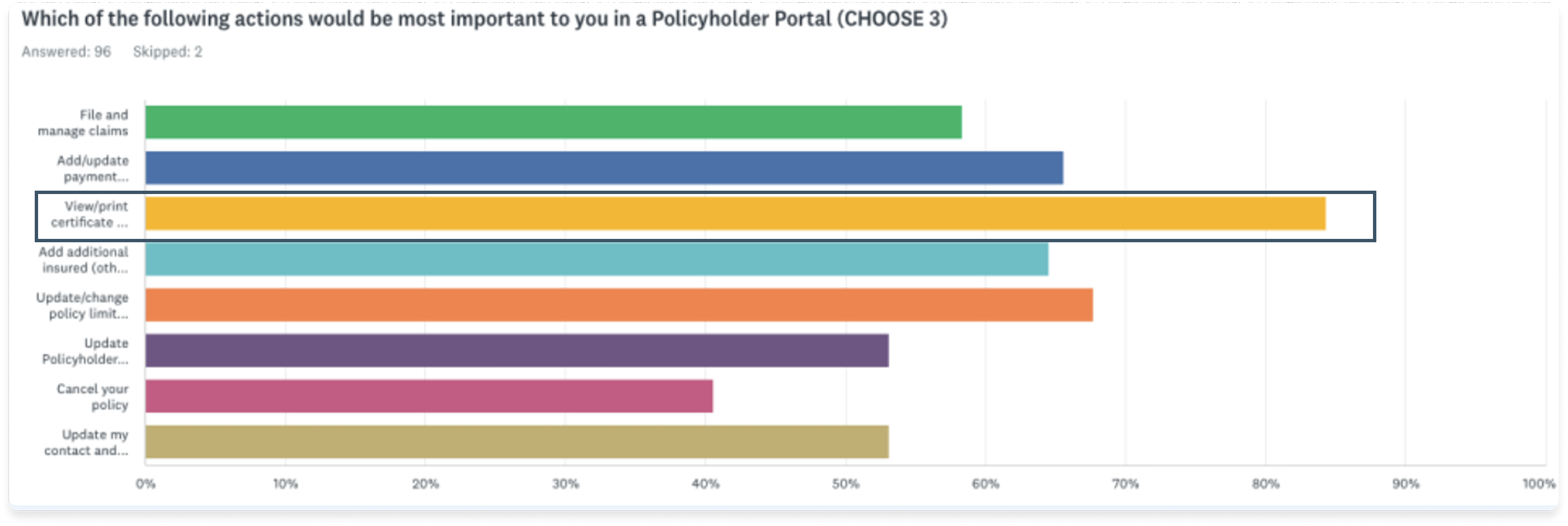
COI generation was ranked as the top most requested policyholder action (85% of respondents in a prior survey), followed by updating policy limits (68%) and payment methods (65%).
Page hierarchy promotes lack of focus
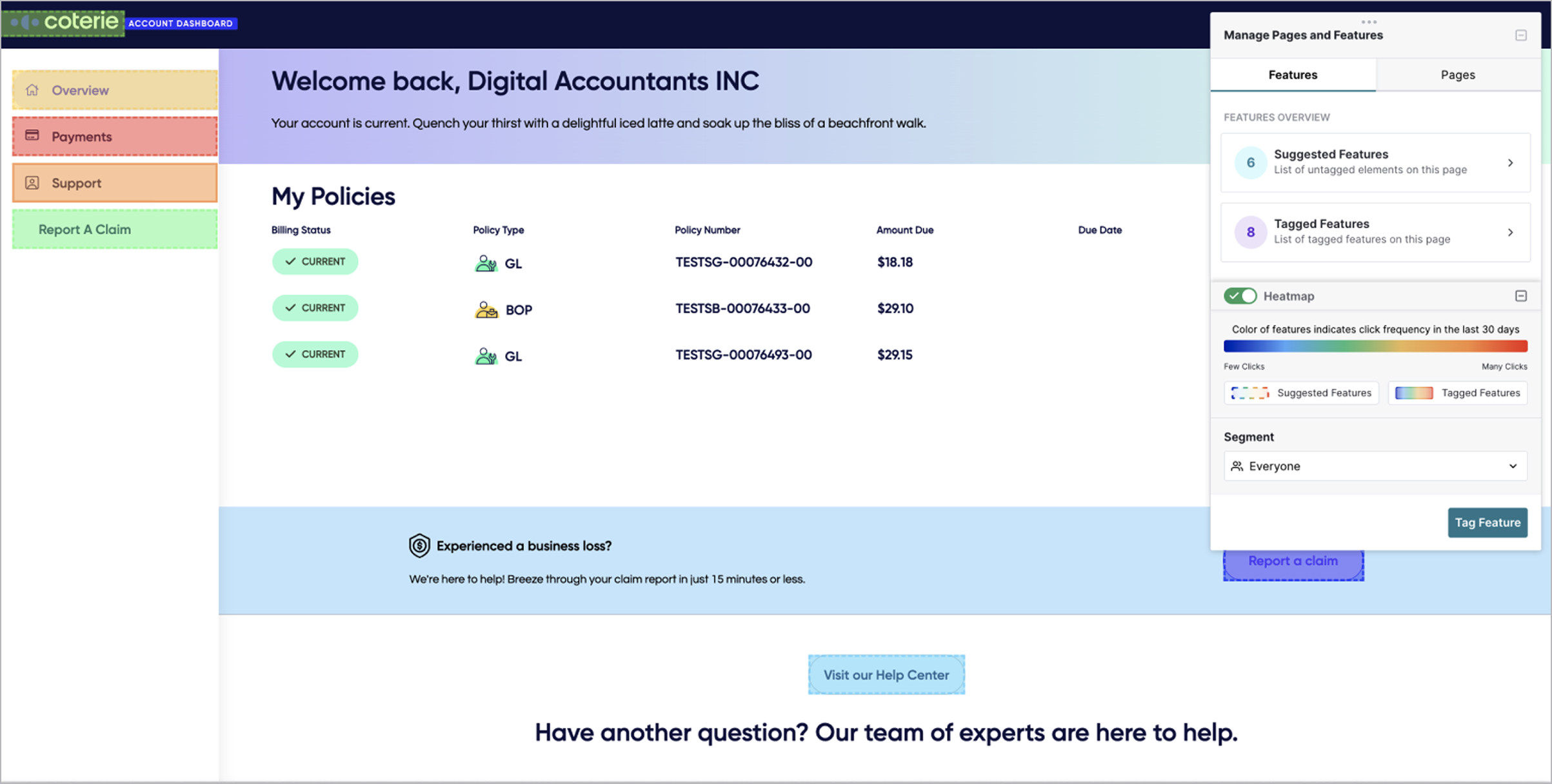
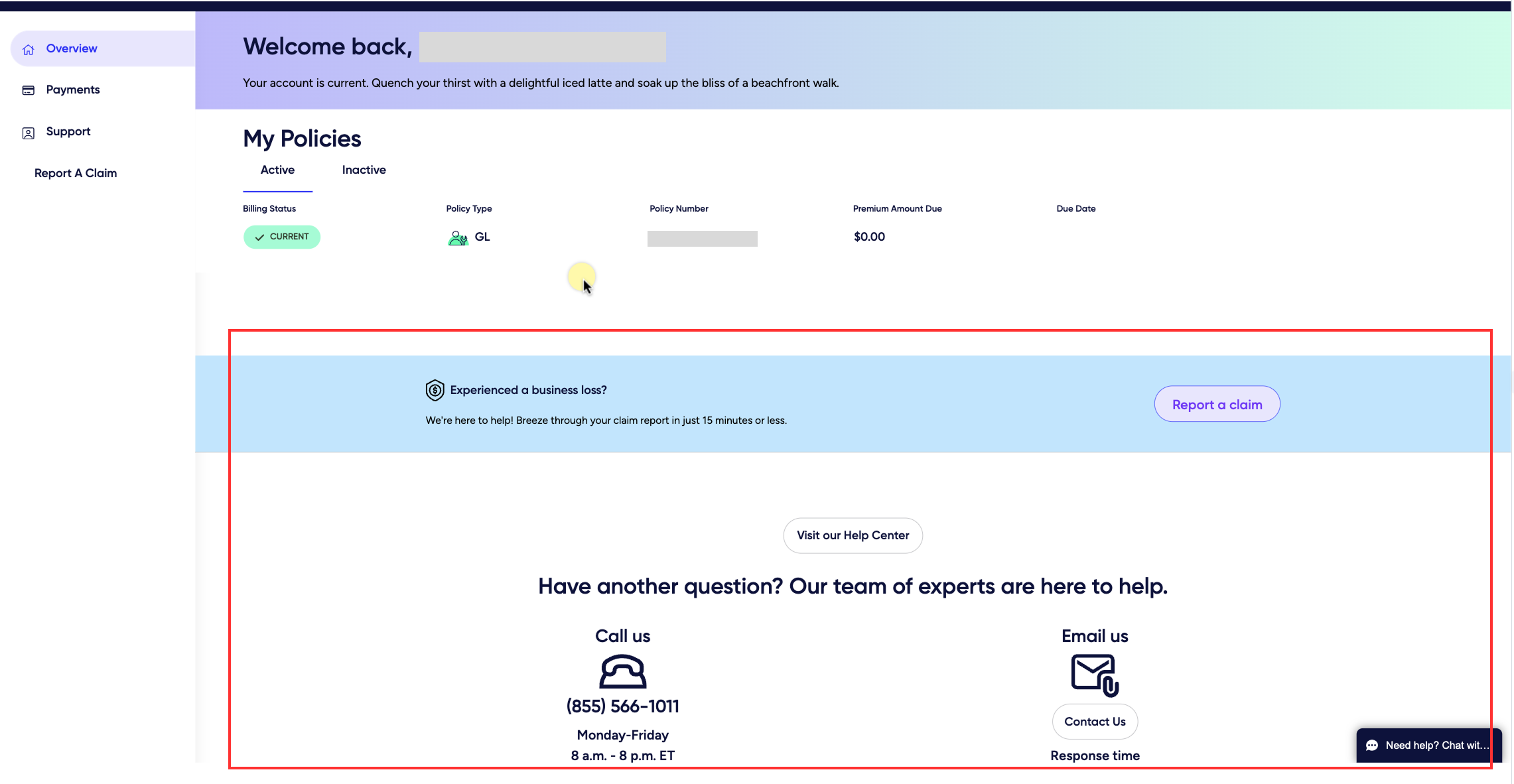
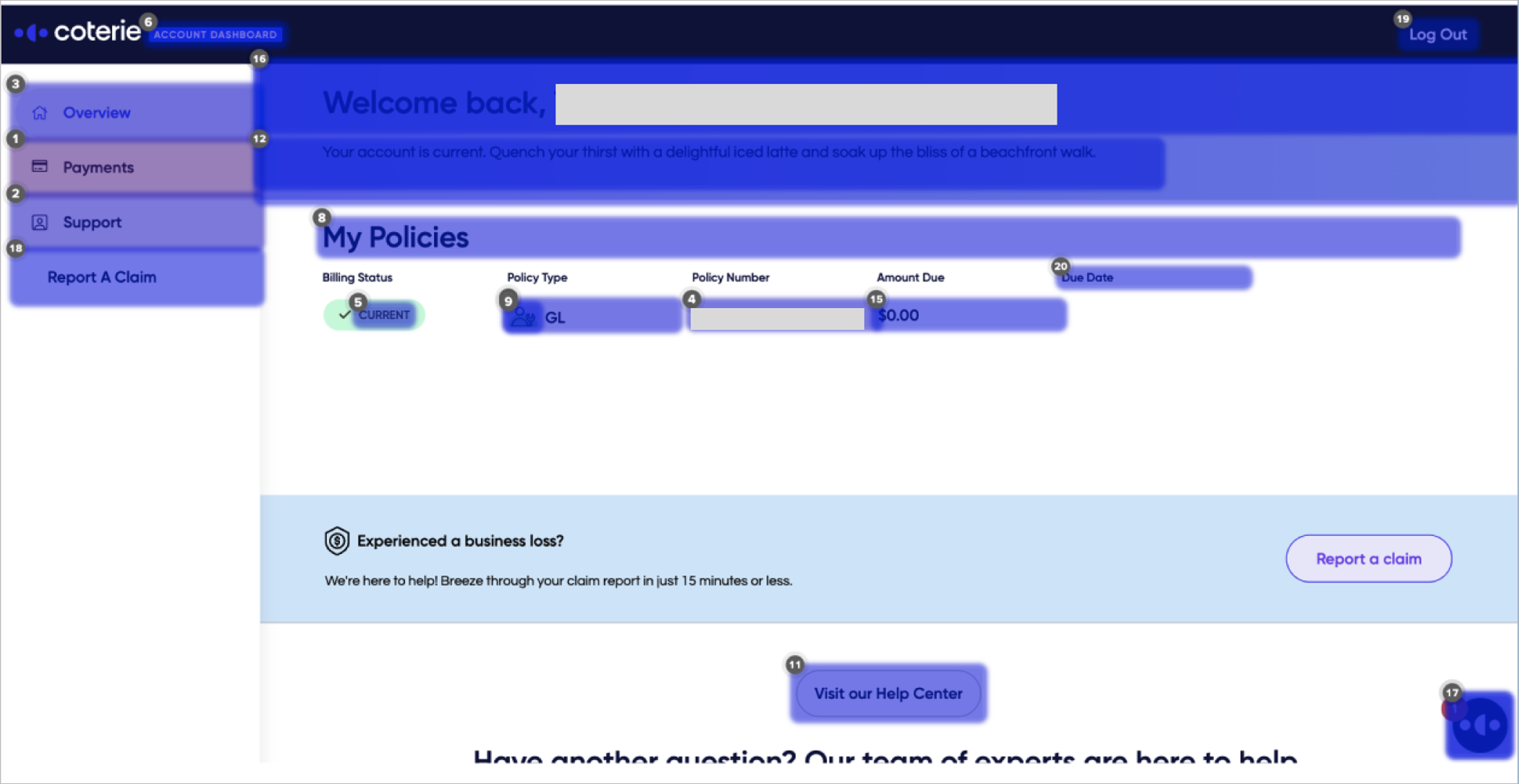
The “Help Center” CTA occupied significant screen space but received very few clicks. It also existed below the fold so discoverability on page load was difficult. This posed an opportunity area for new functionality.
Lack of clarity and inconsistent user interaction
Users showed inconsistent navigation behavior, suggesting some confusion about what was interactive.

Final Designs

New Homepage Layout

Dashboard Design
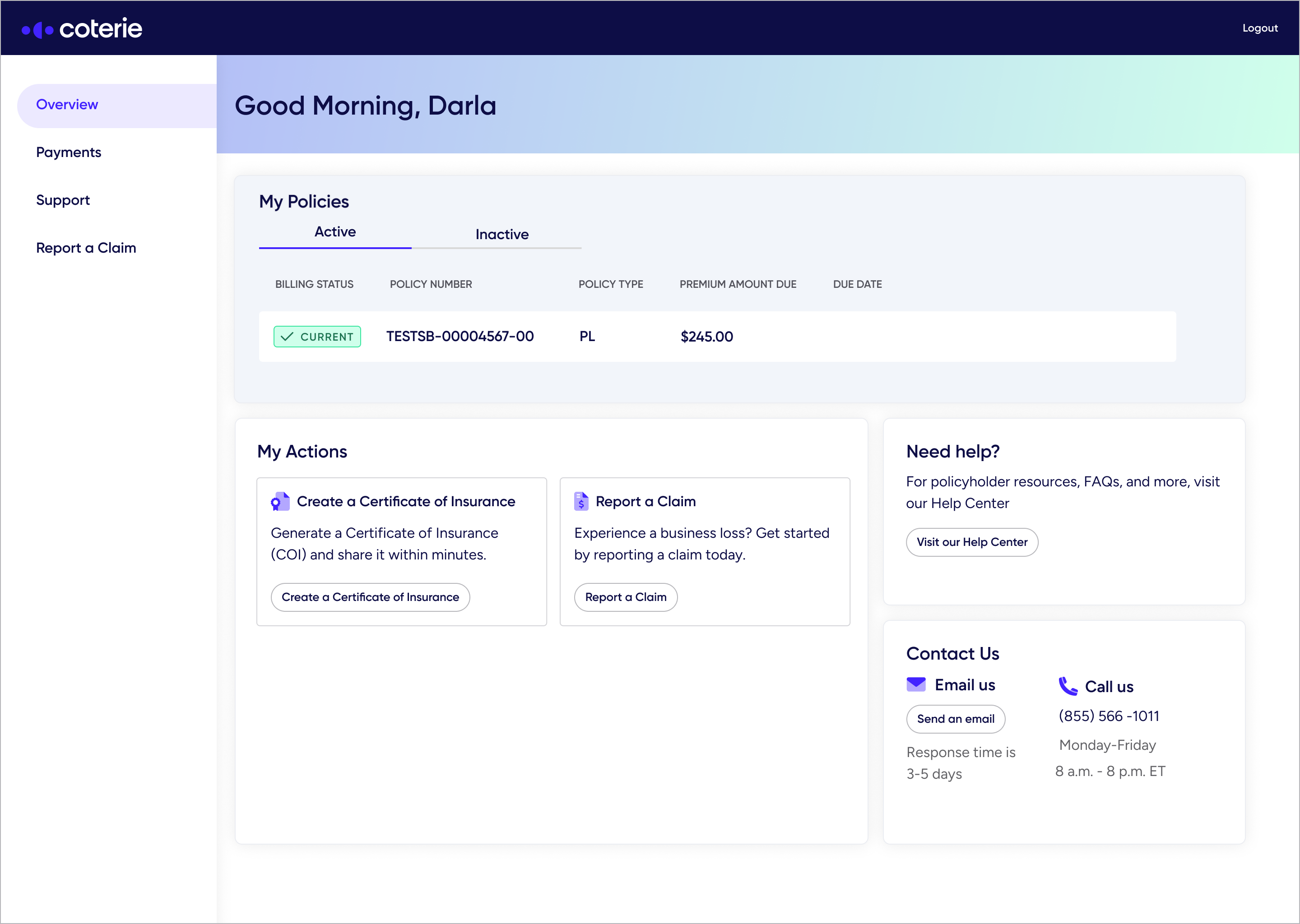
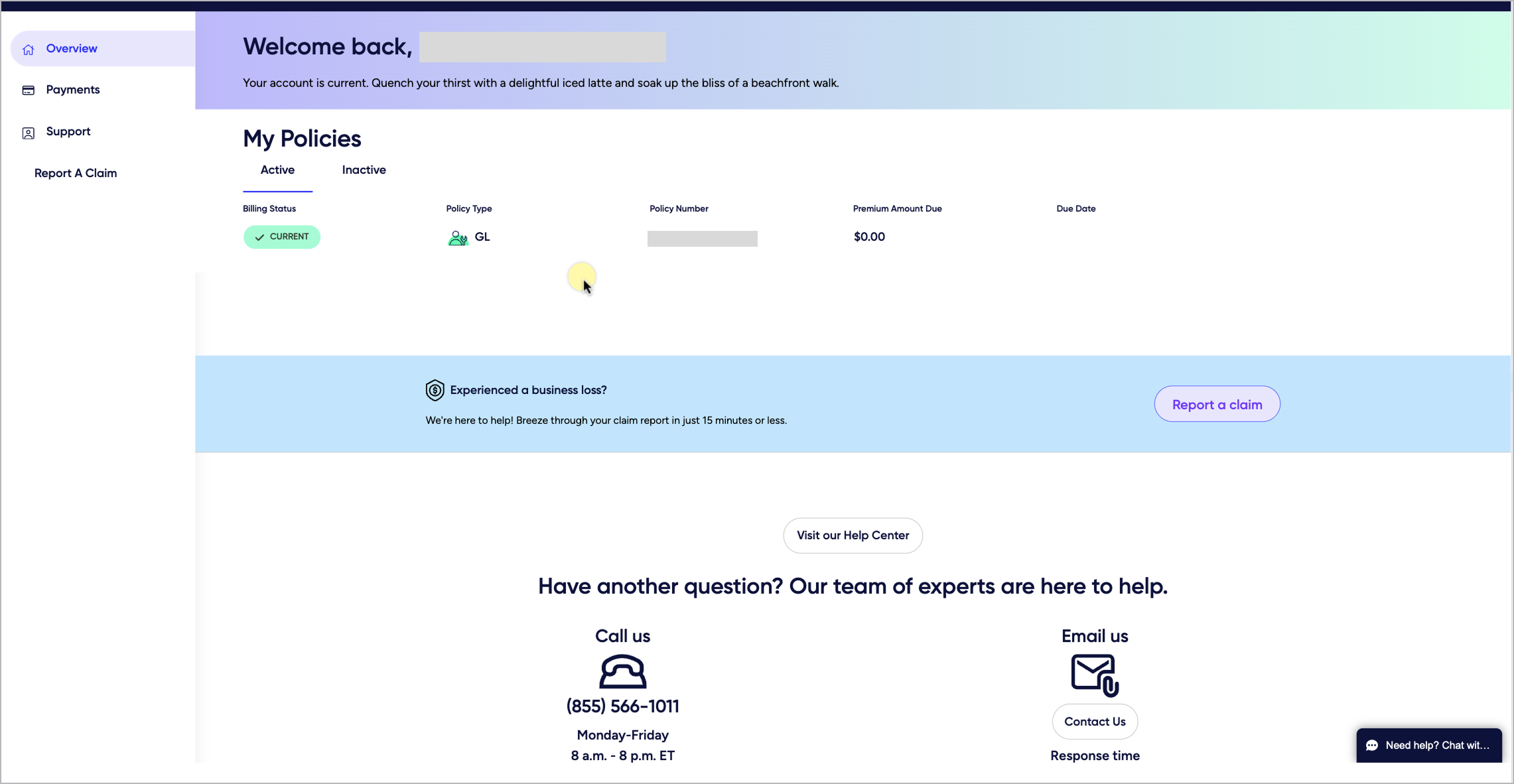
I redesigned the new homepage using a Bento grid layout. Log Rocket user sessions showed that the current Help Center had low engagement, which meant that we weren’t guiding users effectively. I used this opportunity to utilize this space and added a new “My Actions” section, which highlighted key tasks policyholders can take, making the experience more intuitive and action-oriented. In addition, there was a lot of white space in the old design that might have added to the lack of user's focus. With the Bento grid layout, each section had intent so users can compartmentalize the actions they can take.
Before Hackathon updates
After Hackathon updates

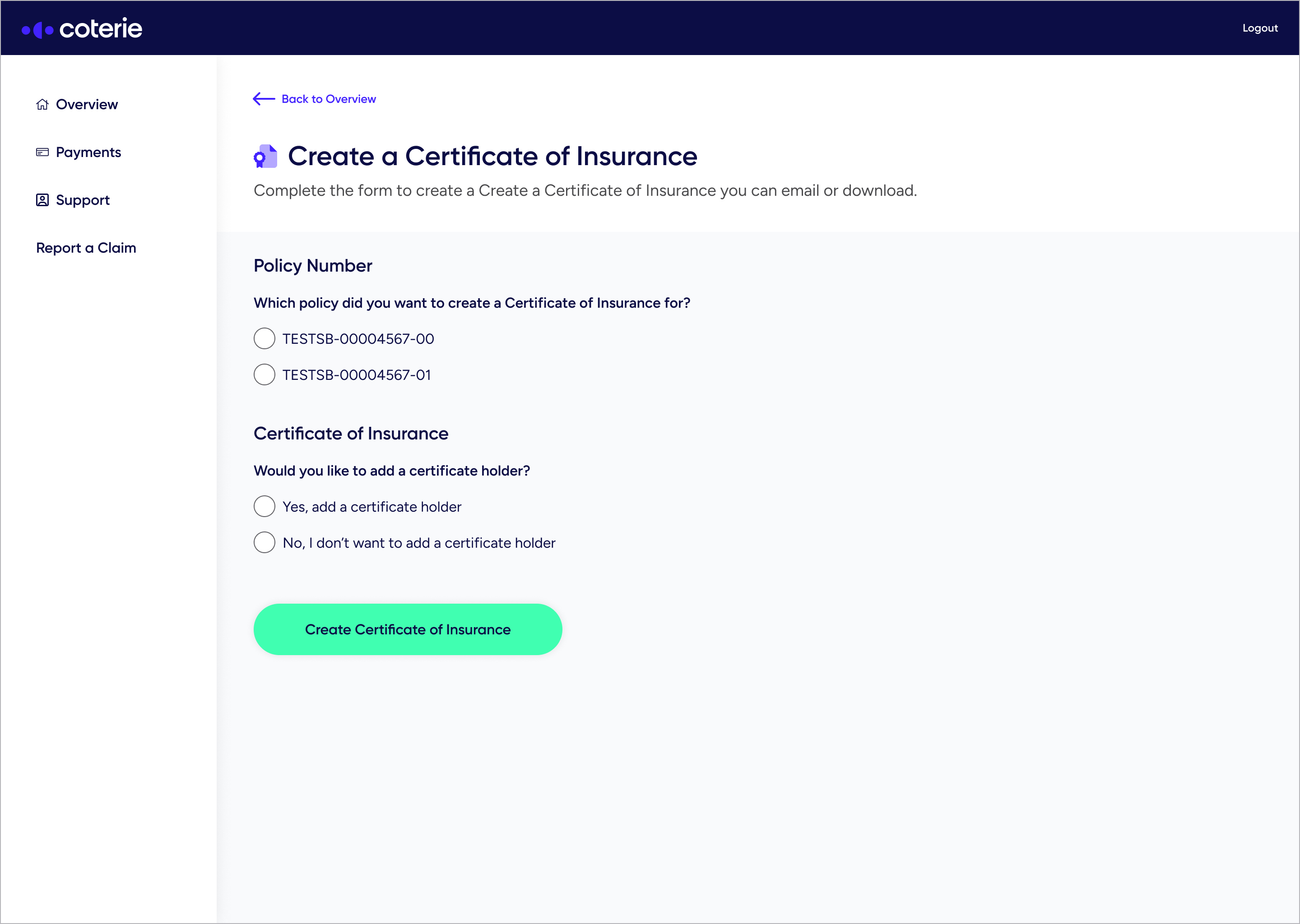
COI Generator Feature Addition

With the new layout, I placed the COI Generator entry point under the new “My Actions” section. Our heatmaps showed that the left navigation was a high-traffic area. I placed the COI Generator within this high-visibility zone to increase its discoverability.

Outcomes

Launch Day Metrics

As our hackathon project launched, I tracked a few metrics at the end of the first day to learn about user engagement and success of our project.
21%
adoption rate at launch
15.4%
users who entered the COI flow generated a COI copy
11.9%
users who generated a copy used the download COI option
5.6%
users who generated a copy used the send email option
Strong Initial Awareness
21% of users clicked the entry point. With no in-app guidance via Pendo nor prior feature promotion, all discovery was organic, confirming that the new placement and layout made the COI Generator easy to find.
Good Conversion Into the Generator
73% of users who clicked the entry point continued to engages with the COI flow, indicating strong relevance and clear alignment with policyholder needs.
Successful COI Generation
73% of users who clicked the entry point continued to engages with the COI flow, indicating strong relevance and clear alignment with policyholder needs.

First 30 Days Metrics

30.5%
adoption rate at launch
23.5%
users who entered the COI flow generated a COI copy
20.1%
users who generated a copy used the download COI option
8.2%
users who generated a copy used the send email option
Within 30 days of launch, engagement continued to trend upward. I checked with Salesforce to see if COI-related support requests had decreased. While they couldn’t isolate COI-specific tickets, they confirmed there was no increase in request, even with higher overall usage from a new partnership. This suggested that the feature did not add support burden.

Heatmaps

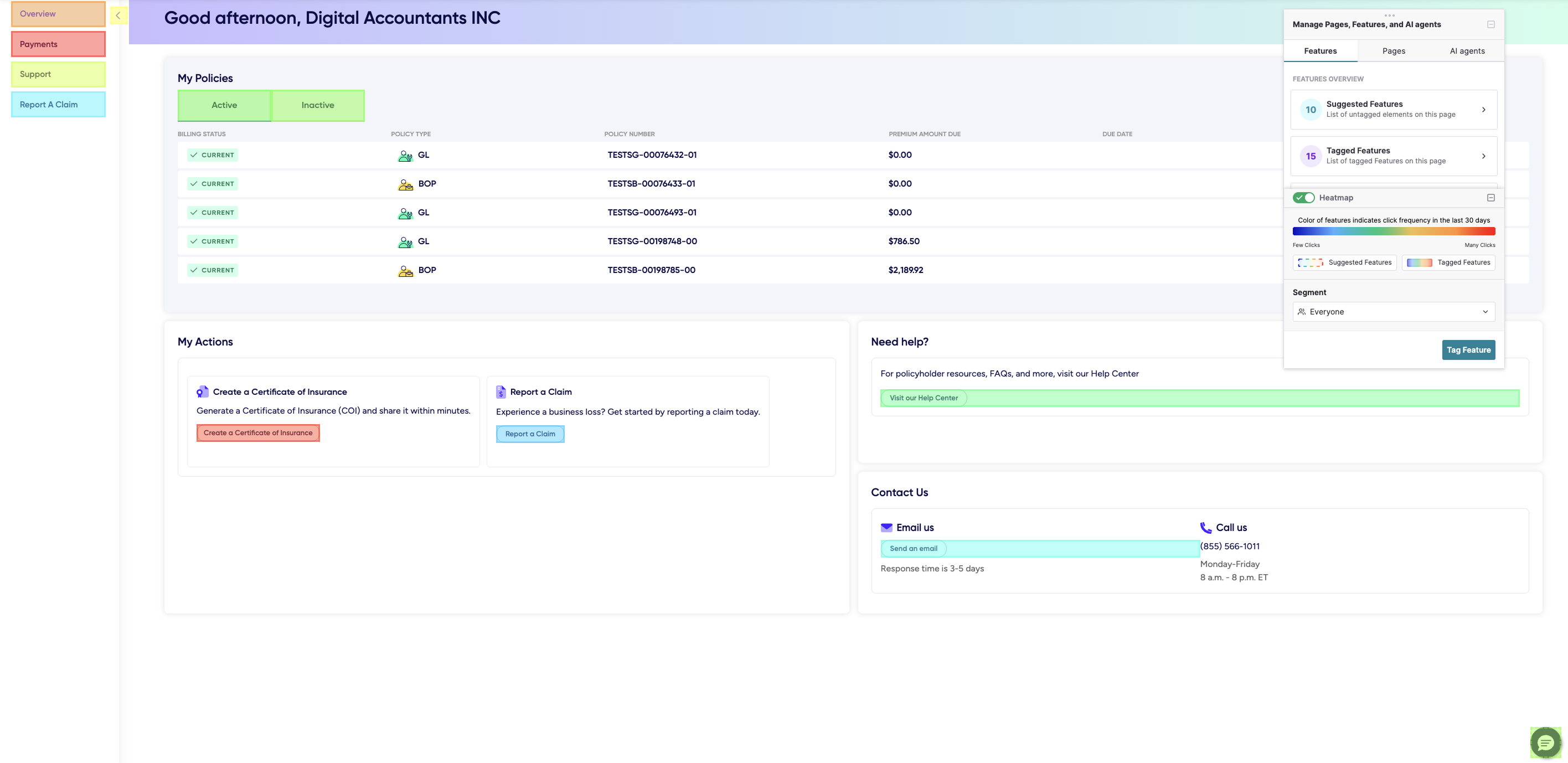
These 2 heatmaps show user behavior before and after the redesign and COI Generator feature addition. We can see that the COI Generator button is frequently interacted and have become a core functionality within Billing Center.
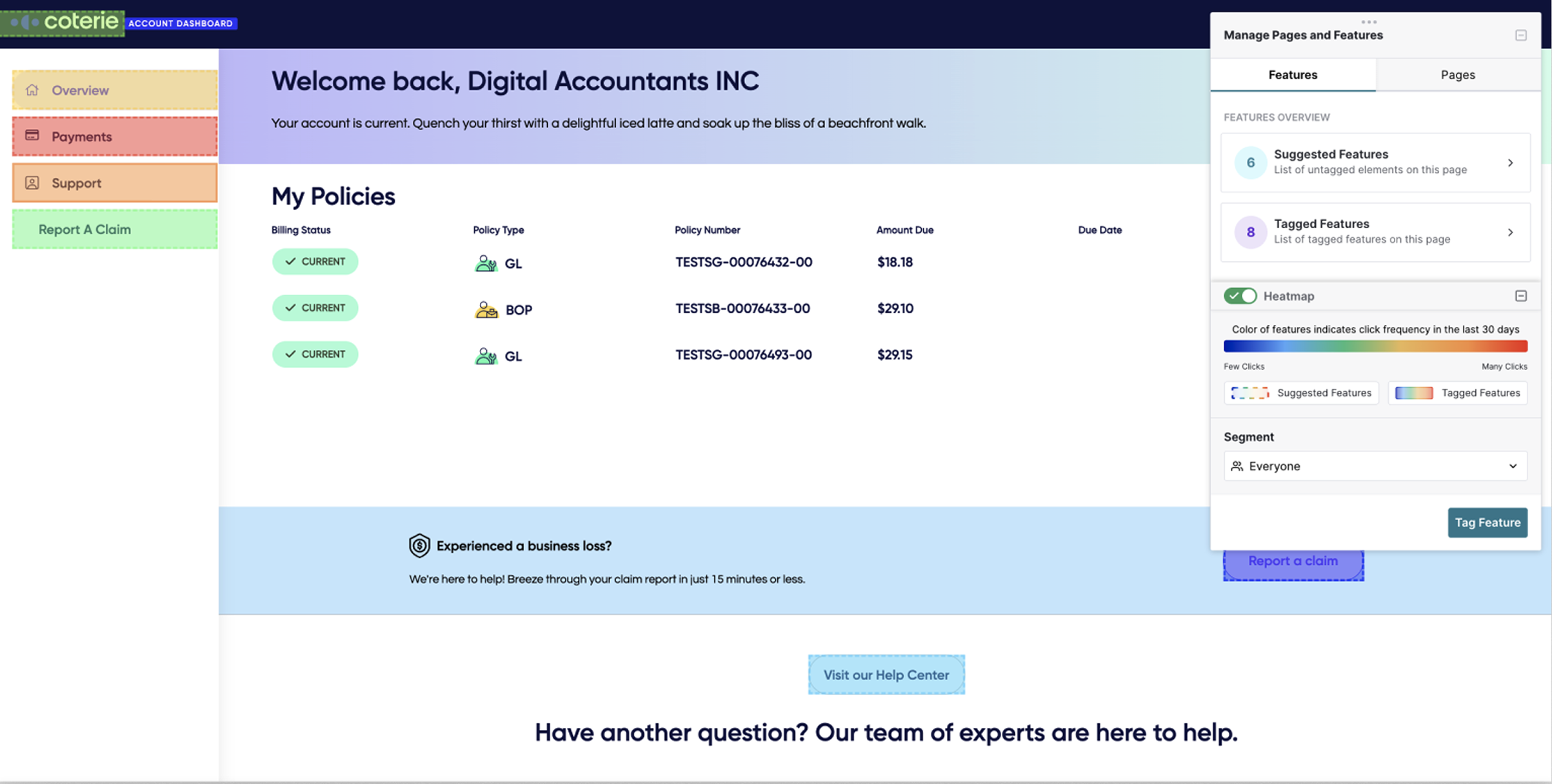
Before
After

Reflection

Data-driven decisions go a long way
Using our previous research and analytics tools, I was able to validate our project hypothesis quickly. These data points became our anchor point when we built our project. It gave us the confidence that we were building something that would greatly benefit our customer support at Coterie and bring value to our policyholders.
Valuing collaboration and different inputs
Seeing how we leaned on each other’s strengths throughout the project reminded me how essential mutual respect, trust, and strong collaboration are key when it comes to teamwork. Our collaboration made the whole process fun and was evident to the other teams.
Thinking in components and systems
One aspect that made our workflow efficient was to reuse components from our previous COI work. By reusing components that were available to us, we were able to build the design quickly. During this hackathon, I learned that as a designer, we have the responsibility to utilize existing components and have the forethought of the effects of creating new components, especially when not needed. Using what's available to us, it became easier for everyone involved building the project and acted as a shared language between designers and engineers.